Watsons China / Multi-site retail
Managing a distributed retail device fleet at Watsons China
Customer deployment reference / UROVO hardware platform
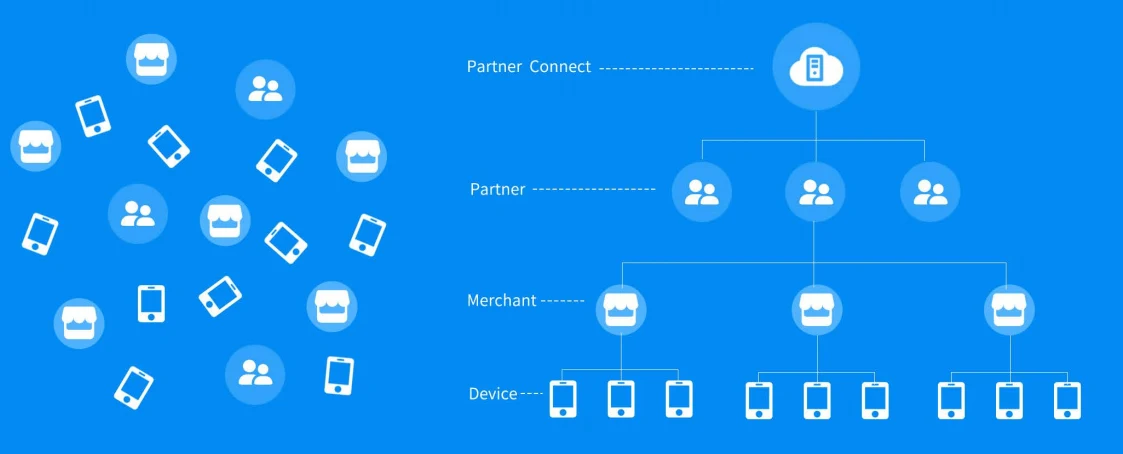
Watsons China used UROVO mobile device management to control applications, devices, maintenance and frontline workflows across a large retail-store network.
Case Studies
Design the mobile workflow before locking the device SKU.
Unrestricted application downloads, thousands of distributed devices and complex frontline personnel management made retail digitalization difficult to control.
Workflow solutions
Priority workflows
The deployment combines more than 10,000 equipment sets with UMS controls for application allowlists, updates, notifications, device status, remote diagnosis and maintenance.
DevicesUROVO UMS with mobile computers and payment terminals
Solution planning sequence
Solution planning sequence
A reliable deployment combines the right capture method, application behavior, connectivity, ergonomics, charging and replacement process. Solution design keeps those choices connected.
01 / Enroll the fleet
Bring mobile computers and payment terminals under a managed device policy.
Establishes a known device and application baseline across a distributed store network.
02 / Control applications
Publish approved applications and enforce allowlist or blocklist rules.
Prevents unmanaged consumer applications from disrupting store work.
03 / Monitor status
Review device health, configuration and operational state remotely.
Lets support teams identify issues before they impact frontline operations.
04 / Diagnose and maintain
Use remote updates, diagnosis and issue handling for the installed fleet.
Reduces the operational cost of visiting each store for routine device actions.
Case Studies
Outcome-led scope
Solution pages will recommend capabilities first. Exact models remain replaceable until testing confirms the best fit.
Equipment scope
More than 10,000 equipment sets across thousands of stores.
Application control
UMS supports approved application distribution and blacklist/whitelist controls.
Remote operations
The reference reports remote installation, updates, diagnosis and issue handling.
Engineering and supply services
Five service layers for a more predictable device program.
RuggedLayer organizes access to multiple manufacturers into a consistent engagement model. Each layer has a defined input, deliverable and evidence boundary. Hardware margin, validation, staging, project management and lifecycle support are distinct value streams. Scope and fees depend on the project.
Select
Retail IT, service desk, store associates, regional operations and repair or replacement coordinators.
Validate
Device enrollment, application policy, configuration, telemetry, remote commands, diagnostic records and maintenance status.
Deploy
UMS or MDM, enterprise identity, application distribution, support ticketing, asset inventory and store network services.
Commercial boundaries
Thousands of distributed devices, varied store connectivity, shared use, staged updates and limited on-site technical support.
A clear handoff at every layer
Five service layers for a more predictable device program.
Hardware margin, validation, staging, project management and lifecycle support are distinct value streams. Scope and fees depend on the project.
Store workflow application
Role-based flows cover receiving, shelf work, item lookup, counting, replenishment, transfers or mobile checkout without exposing unnecessary back-office functions.
Commercial boundariesRuggedLayer translates store tasks into device and validation requirements; the retailer or ISV owns price, promotion, payment and inventory rules.
Store device layer
Shared handhelds or mobile POS units combine the required barcode, RFID, payment and camera functions with practical holsters, charging and handoff controls.
Commercial boundariesRuggedLayer selects and configures the hardware platform, accessories, capture settings and managed application profile.
Store connectivity
Store Wi-Fi or cellular service synchronizes transactions, inventory events and device status, with queued work for short network interruptions.
Commercial boundariesRuggedLayer proves roaming, reconnect and application recovery on the device; store network remediation is separately scoped.
Retail systems
POS, ERP, WMS, inventory, customer and device-management systems retain the authoritative product, stock, transaction and policy records.
Commercial boundariesRuggedLayer validates the agreed integration points and handover package while the retailer controls production data and commercial logic.
Publication gate
Comparable device evidence with method, version and limitations.
The Test Lab defines what must be recorded before a manufacturer reference or RuggedLayer observation can support a purchase or deployment decision.
Publication gate
- 01
A device is unenrolled, out of compliance or running an unapproved application.
Restrict the operational profile, alert support and restore the approved policy before the device returns to store use.
- 02
An application update fails or causes a workflow regression.
Stop the rollout wave, retain diagnostic data and use the approved rollback or prior-version package.
- 03
A device remains offline beyond the support threshold.
Create a store-level check for power, network or loss, then route unresolved units to replacement or repair handling.
How to read the references
Enrollment
A new or replacement device reaches the approved store profile from a documented enrollment process without manual drift.
Policy control
Required apps, restrictions, settings and update rings are applied and reported correctly across the pilot fleet.
Remote support
Support can identify, diagnose, update, lock or retire a test device using approved permissions and audit logs.
Rollout safety
Failed updates, offline devices and rollback actions are visible by store, model, version and deployment wave.
A clear handoff at every layer
Choose the first service layer.
A short requirement review will identify whether selection, validation or customization comes first.
01 / Discover
A store-task map covering user roles, item and tag types, payment boundary, stock rules, device sharing and support ownership.
02 / Store validation
Configured samples tested on real shelves, racks, labels, applications, peripherals, Wi-Fi and daily charging routines.
03 / Pilot stores
A small representative store group with baseline timings, exception logs, associate feedback and a documented go/no-go review.
04 / Wave deployment
A repeatable store kit, enrollment profile, installation checklist, training package, replacement pool and support route.
Enterprise device portfolio
Mobile computers, barcode scanners and RFID readers by workflow.
A final shortlist depends on the application, scan or RFID workload, operating environment, country, deployment volume and support expectations.
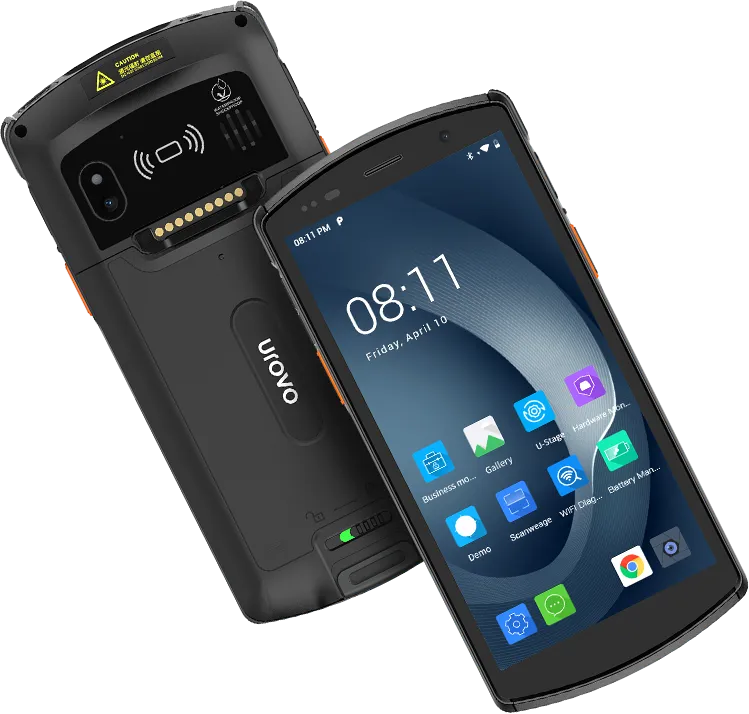
UROVO / Rugged handheld computer
DT50
General-purpose handheld with a replaceable-battery option for mixed store work.Devices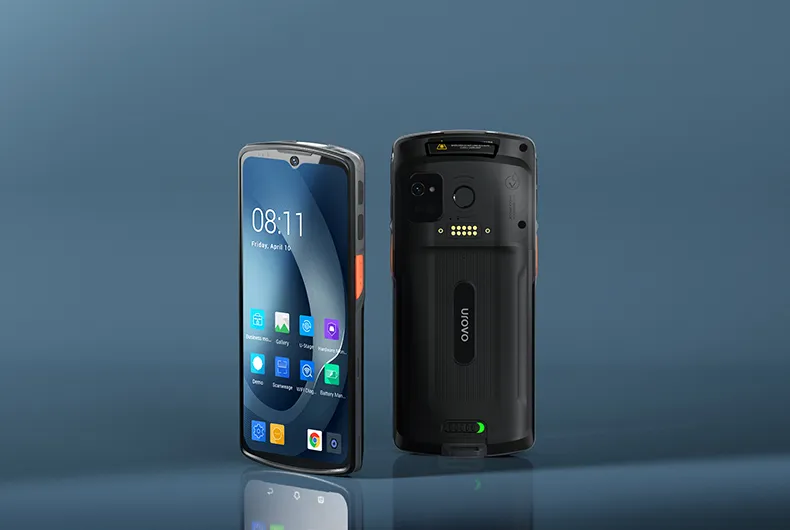
UROVO / Enterprise mobile computer
DT66
Modern full-touch platform for app-first retail workflows.Devices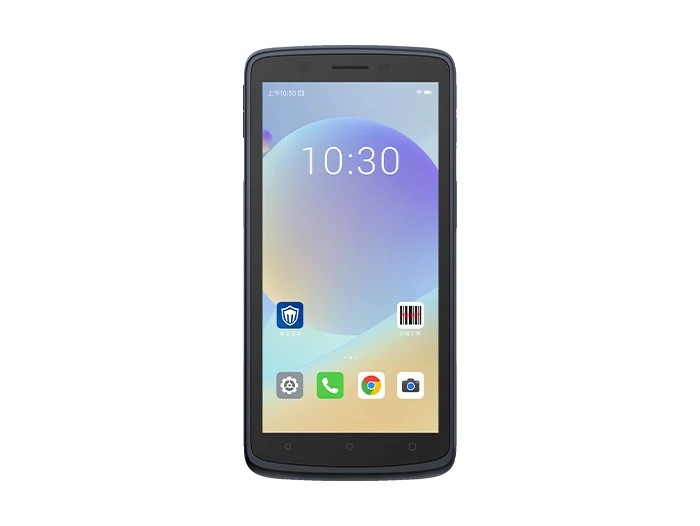
SEUIC (Dongji) / Touch mobile terminals
CRUISE2
Full-touch mobile terminal option for inventory and store applications.DevicesProject intake
Project intake form
Submit the form to request a shortlist, validation plan, sample discussion or scoped OEM feasibility review. Restricted files require a separately agreed transfer method.