
Warehouse logistics

Warehouse mobility for faster, more reliable material flow

Plan rugged handhelds, barcode capture, Wi-Fi, charging and application validation for receiving, putaway, picking and cycle counting.

Plan a pilot

Outcome-led scope

Design the mobile workflow before locking the device SKU.

Warehouse performance depends on more than scan speed. Operators need a device, keypad or touch interface, battery plan, Wi-Fi design and WMS workflow that continue working together across a full shift.

  • Reduce manual entry and scan exceptions
  • Match keypad, touch and long-range capture to each task
  • Plan charging, spares and accessories before rollout
  • Validate the WMS application on the exact device configuration

Priority workflows

Solution planning sequence

01

Inbound

Receiving, ASN checks, pallet and item identification, quality holds and directed putaway.

02

Inventory

Bin verification, replenishment, cycle counting and exception reconciliation.

03

Outbound

Wave picking, packing verification, loading and proof of handoff.

Solution planning sequence

Five service layers for a more predictable device program.

RuggedLayer organizes access to multiple manufacturers into a consistent engagement model. Each layer has a defined input, deliverable and evidence boundary.

Fresh-food receiving and fulfillment workflow reference
Receiving and putaway

01 / Receiving and putaway

Start with the label journey, not the scanner specification.

A receiving scan is useful only when it connects the supplier label, purchase order, quantity, condition and destination bin. Map what the operator sees from the moment a pallet reaches the dock. Include missing labels, mixed cartons, damaged codes and goods that must enter a quality hold instead of normal stock.

Then choose the capture configuration around the worst common label. A standard engine may suit close item scans, while high racks or pallet labels can require a near-and-far option. The WMS must give an immediate, unambiguous response so the operator knows whether to continue, rescan or move the goods to an exception lane.

Outcome-led scope

  • Representative supplier and internal labels
  • Expected scan distance at dock and rack
  • Quality-hold and quantity-mismatch paths
  • Putaway confirmation and offline behavior

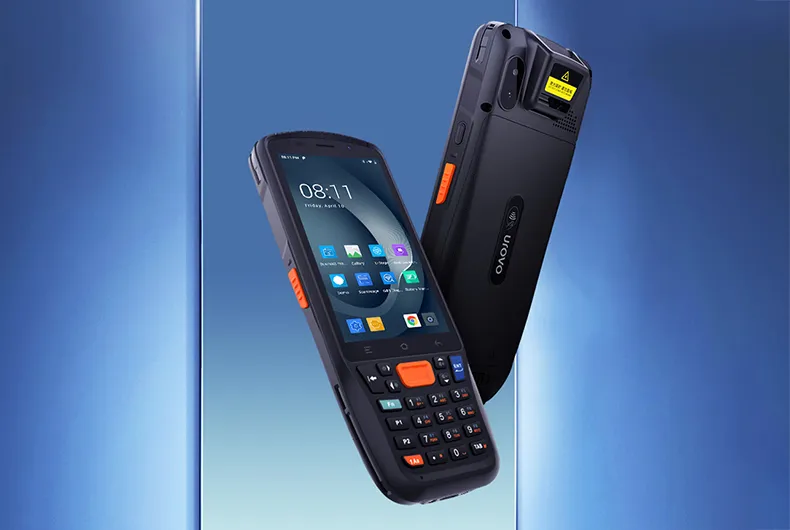
UROVO RT40S rugged handheld for repetitive warehouse picking evaluation
Picking and replenishment

02 / Picking and replenishment

Design the input method around repetition and operator movement.

Picking combines walking, reading, scanning and confirming. Small delays repeat hundreds of times per shift, so a keypad, trigger or wearable setup should be tested in the actual posture rather than chosen from a feature list. Gloves, freezer clothing, ladder work and trolley mounting can each change the best input method.

The application also needs to prevent fast mistakes. Location, item and quantity should be separate checks, with a clear route for substitutions, short picks and unreadable labels. Measure successful first reads and completed tasks, not just the scanner response in an empty test screen.

Outcome-led scope

  • One-handed, glove and trigger operation
  • Short-pick and substitution handling
  • Screen readability at working angle
  • Retries and task time across a full pick run
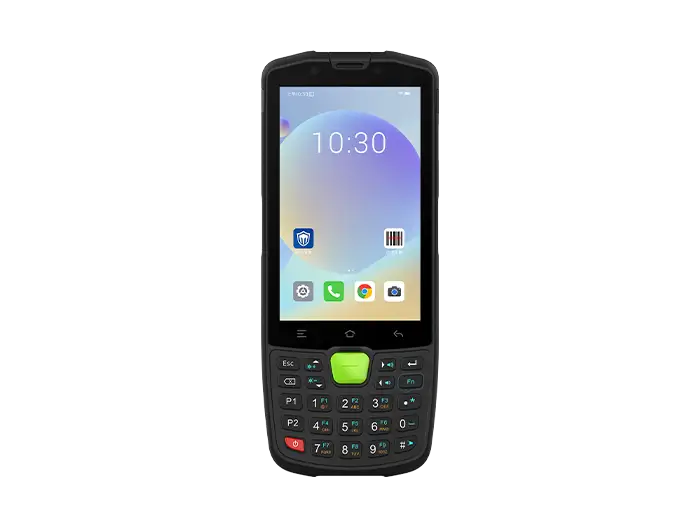
SEUIC AUTOID Q9 Pro keypad terminal as a warehouse deployment candidate
Deployment standard

03 / Deployment standard

Power, Wi-Fi and accessories determine whether the second shift works.

A pilot should reproduce a real shift with the production-like WMS build, authentication and roaming policy. Record battery level at fixed intervals, access-point transitions, queue recovery and the time required to return a failed device to service. This exposes deployment problems that a short barcode demonstration cannot show.

Freeze the complete kit after the pilot: exact SKU, battery and charging ratio, hand strap or pistol grip, spare pool, MDM profile and application version. That configuration becomes the purchasing and support baseline, reducing accidental variation between sites.

Outcome-led scope

  • Charging slots per shift and spare policy
  • Wi-Fi roaming across representative aisles
  • MDM enrollment and kiosk recovery
  • Approved device, accessory and app-version bill of materials
Priority workflows

Design the mobile workflow before locking the device SKU.

Repeatable barcode capture

Select standard, near/far or extended-range scanning around label size, distance and damage.

Operator-ready input

Compare touch, keypad, trigger and glove operation against task frequency and screen design.

Shift-length power

Size batteries, hot-swap requirements and charging density for actual work and break patterns.

Roaming and resilience

Validate Wi-Fi roaming, offline behavior and application recovery in the warehouse layout.

Engineering and supply services

Five service layers for a more predictable device program.

  • Android WMS application and scan-result handling
  • Wi-Fi roaming, authentication and offline queues
  • MDM enrollment, kiosk policy and staged configuration
  • Printer, wearable and vehicle-mount workflow coordination

Enterprise device portfolio

Mobile computers, barcode scanners and RFID readers by workflow.

A final shortlist depends on the application, scan or RFID workload, operating environment, country, deployment volume and support expectations.

UROVO CT48C keypad mobile computer, front and rear views

UROVO / Keypad mobile computer

CT48C

Physical keypad and removable battery for repeated warehouse scans.Devices
UROVO RT40S rugged enterprise handheld for warehouse and cold-chain barcode workflows

UROVO / Enterprise mobile computers

RT40S

Keypad platform for demanding environments and longer-range scan options.Devices
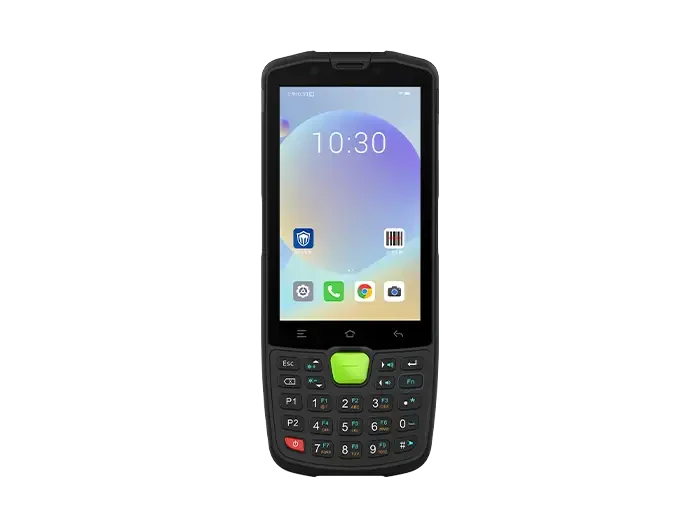
SEUIC AUTOID Q9 Pro keypad handheld for scan-intensive warehouse operations

SEUIC (Dongji) / Keypad mobile terminals

AUTOID Q9 Pro

Keypad mobile terminal option for task-led warehouse applications.Devices

Solution planning sequence

Plan a focused pilot.

  1. 01

    Map tasks

    Document labels, distances, screens, gloves, networks, shifts and exception paths.

  2. 02

    Validate candidates

    Test two or three configurations with the real WMS build and representative labels.

  3. 03

    Run a measured shift

    Record scan success, task time, battery use, roaming and operator feedback.

  4. 04

    Freeze deployment scope

    Confirm SKU, accessories, device policy, spares and rollout acceptance criteria.

RuggedLayer Test Lab

Plan a focused pilot.

Bring one workflow and its failure points; we will structure the device and test requirements.

Plan a pilot