UROVO / Barcode scanners
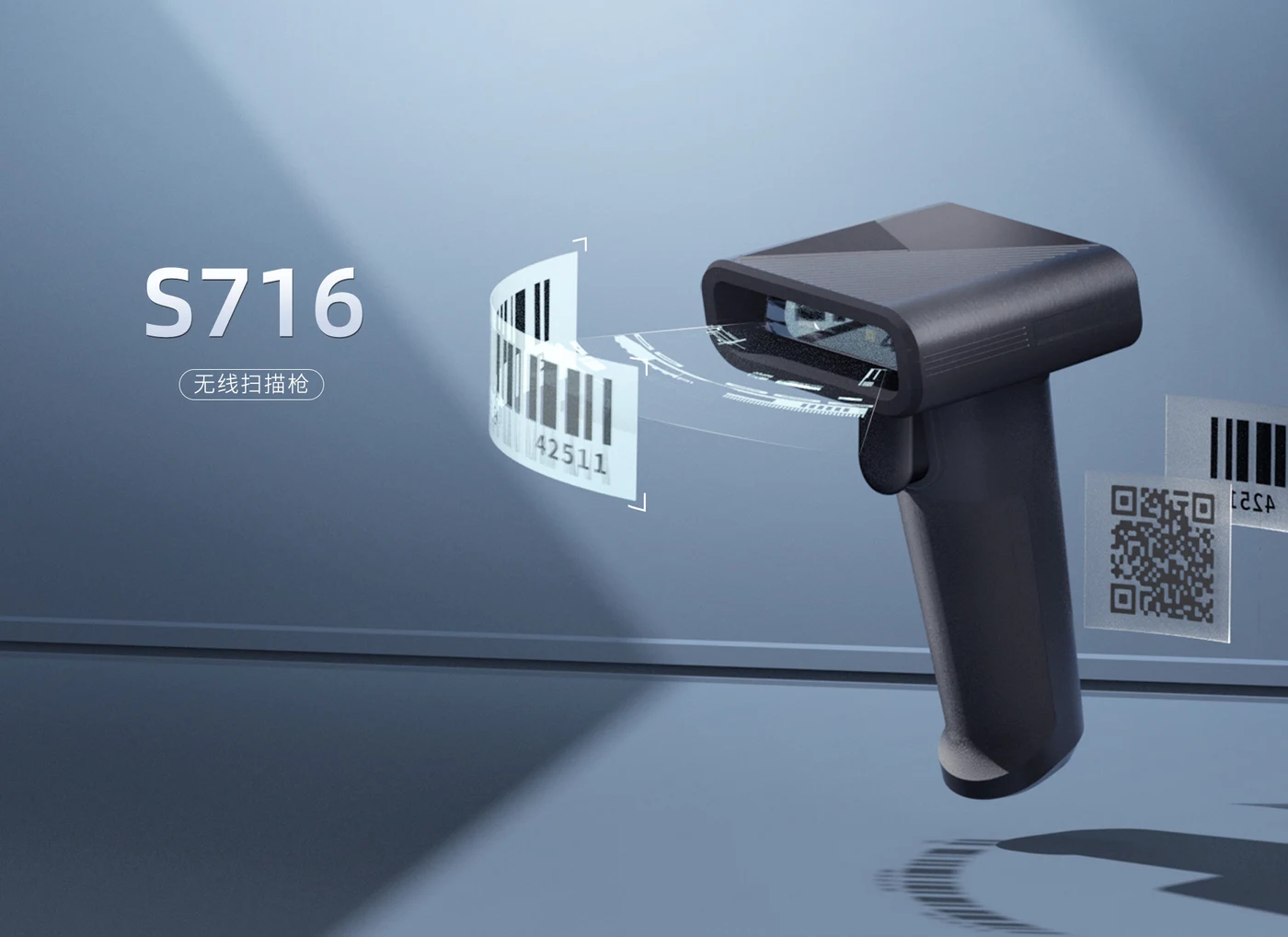
S716: Barcode scanners
UROVO S716 is a USB barcode scanner for workstation, parcel and service-counter capture. The official page lists Windows, Android and Linux host support, 1D/2D camera scanning, a 2200 mAh battery, USB transfer and charging, LED/buzzer/vibration feedback and a 160 g body. Code quality, host behavior and scan performance require testing at the target station.
Suggested profiles: parcel, workstation, service-counter and fixed barcode capture
- Processor
- 32-bit CPU
- Scanning
- 1D/2D barcode scanning using a 640 x 480 CMOS camera listed
- Battery
- 2200 mAh
- Communication
- USB communication listed; host protocol and deployment mode require confirmation
- Host systems
- Windows XP/7/8/10, Android and Linux listed by the manufacturer
- Interface
- USB for wired data transfer and charging
The exact model, regional configuration and commercial terms require project confirmation.
Browse by device capability
S716 / Browse by device capability
UROVO is the primary established product resource, with SEUIC (Dongji) and selected platforms used where the capture method, form factor or deployment requirement needs another option. Published models follow an evidence, regional-configuration and RuggedLayer validation path.
Suggested profiles
- Parcel and service-counter scanning
- Workstations that need a USB 1D/2D scanner
- Mobile or fixed workflows where visual, audible and vibration feedback is useful
Browse by device capability
- A USB scanner entry for workstation, parcel and counter-based barcode capture.
- Windows, Android and Linux host support is listed, with USB data transfer and charging.
- 1D/2D camera capture and LED, buzzer and vibration feedback support operator-led workflows.
- The 2200 mAh battery and host behavior should be tested with the selected wired or mobile operating pattern.
How a device enters the portfolio
Key specifications
Manufacturer-listed configuration; confirm the exact variant before ordering.
Platform
| Processor | 32-bit CPU |
|---|---|
| Host systems | Windows XP/7/8/10, Android and Linux listed by the manufacturer |
Data capture
| Scanning | 1D/2D barcode scanning using a 640 x 480 CMOS camera listed |
|---|
Connectivity
| Communication | USB communication listed; host protocol and deployment mode require confirmation |
|---|
Power and physical
| Interface | USB for wired data transfer and charging |
|---|---|
| Battery | 2200 mAh |
Environmental
| Environment | Operating -20 to +60 C; storage -40 to +70 C; 5-95% RH non-condensing |
|---|
Other configuration
| Feedback | LED, buzzer and vibration motor |
|---|---|
| Physical | 138.18 x 101.51 x 63 mm; 160 g |
A final shortlist depends on the application, scan or RFID workload, operating environment, country, deployment volume and support expectations.
A clear handoff at every layer
Five service layers for a more predictable device program.
RuggedLayer organizes access to multiple manufacturers into a consistent engagement model. Each layer has a defined input, deliverable and evidence boundary.
Service layers
- Confirm USB mode, host driver behavior, power budget, scan trigger and application input handling before deployment.
- Test the target symbologies, damaged labels, screen codes, distance, angle, lighting and operator feedback.
- Plan battery charging, cable routing, stand or mount and exception recovery around the station workflow.
Deployment accessories
- Scope the USB cable, stand or mount, protective parts, charging arrangement and workstation cable routing.
- Keep the host profile, scan settings and approved code samples with the station acceptance record.
RuggedLayer Test Lab
Define a useful test, not a vague benchmark.
Tell us the labels, tags, application and operating conditions that matter.
- 01
Run representative 1D/2D, damaged, low-contrast, reflective and screen codes with the intended host system.
- 02
Repeat reads across distance, angle, lighting, motion and feedback settings while recording host latency.
- 03
Freeze USB mode, mount, trigger, battery charging, cable management and exception handling before rollout.
Project intake
S716 / Start with enough context to make the next step useful.
Choose the closest project intent and describe only non-confidential workflow, application and deployment requirements.